End-to-End Digital Process
It allows you to manage the entire process, from event idea and program design to registration, archiving, and reporting, all from a single dashboard.
Manage all your events, such as summits, congresses, seminars, exhibitions, festivals, and graduations, in one platform with program schedules, speakers, registration, archives, and reports.
The Event Management Module allows you to plan, announce, record, and archive the results of all your internal and external events through a digital platform. You can manage a wide variety of formats such as summits, congresses, seminars, exhibitions, organizations, workshops, spring festivals, medical congresses, and graduation ceremonies from a single system.
It allows you to manage the entire process, from event idea and program design to registration, archiving, and reporting, all from a single dashboard.
All events are listed on the corporate calendar; your target audiences can access details with a single click, and announcements remain consistent and up-to-date.
Online registration, invitations, attendance confirmation, name badge generation, and participant lists are all integrated into a single system.
Brochures, catalogs, invitations, books, and past programs are uploaded to the system, transforming your event series (1st, 2nd, ..., 20th) into corporate memory.
It is designed to manage all event formats – academic, cultural, sporting, and corporate – under one roof.
It includes a detailed scheduling engine that plans everything end-to-end, including date, time, venue, session, and speaker details.
Defining the event name, theme, date range, target audience, and overall objectives.
Room/hall definitions, maximum capacity, and technical requirements must be entered.
Session titles, speakers, panelists, and moderators will be assigned; and the times and durations will be finalized.
Automatic or semi-automatic generation of detailed daily and room-by-room schedules; production of print and web versions.
Session, speaker, or room changes are reflected in real-time on the calendar and participant registration screens.
It handles online registrations for all events, segments participants, and automates the invitation process.
All outputs from each event are collected in a single archive; creating a strong organizational memory for future organizations.
Event brochures, invitations, program booklets, and catalogs are uploaded to the system as PDFs and become accessible on the past events page.
Events such as "1st National Congress", "2nd National Congress" ... "20th National Congress" are archived in a series of versions under the same tree.
Presentations, papers, and book chapters from the sessions are linked to the respective sessions; they may be shared with participants as appropriate.
Album structure for event photos and videos; gallery screens filterable by year, event, and location.
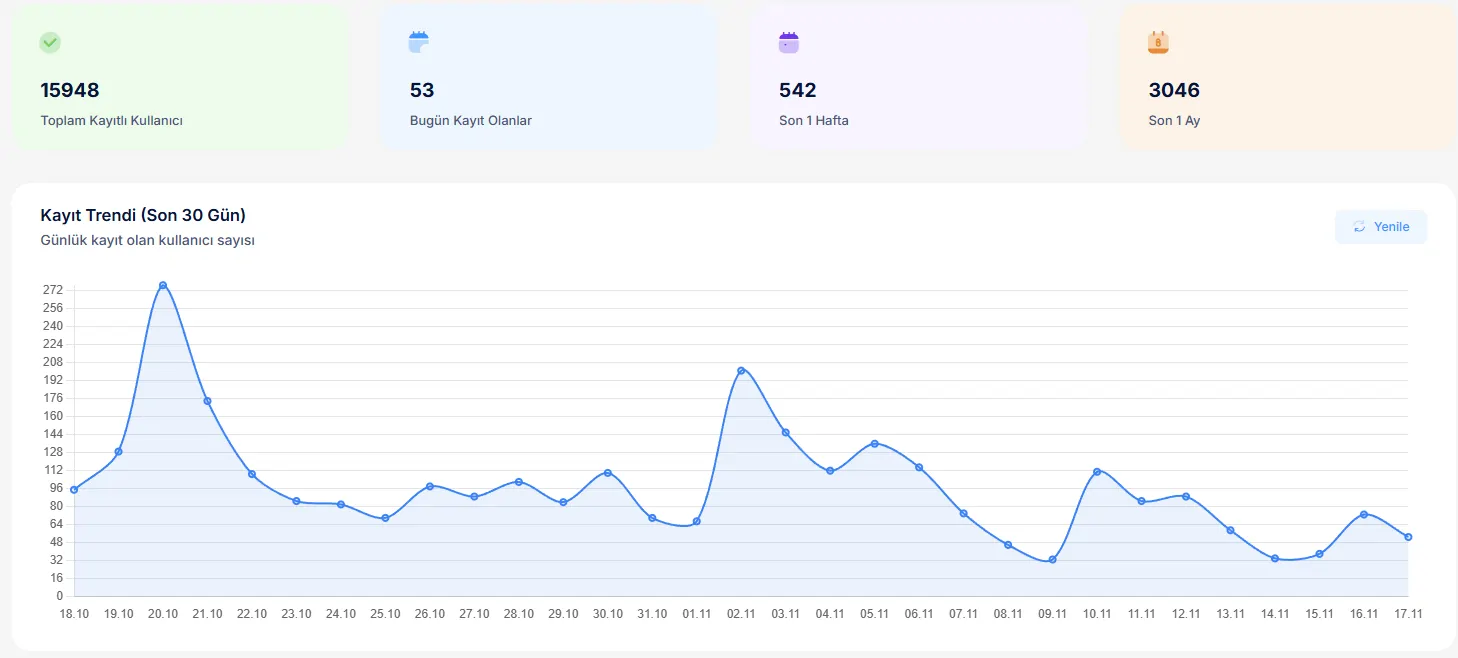
It provides dashboards where you can view participant, distribution, feedback, and impact analyses for your events all in one place.
The Event Management System integrates seamlessly with other modules on the TOKU platform, providing an end-to-end experience.
Events are automatically distributed across multiple websites (faculty, department, center, club, etc.); calendars and registration links are synchronized.
Special events for students and alumni are integrated with student affairs and alumni information systems to create targeted invitation lists.
Education and course-based activities, working in conjunction with Educatum360 and the Trainee System, encompass examination, certification, and continuation processes.
Sports organizations can integrate with the Tournament Management System to manage fixtures, results, and award ceremonies under the same event umbrella.
Example screenshots of event calendars, program pages, registration forms, and report boards.


Yes. Many different formats, such as summits, conferences, seminars, exhibitions, spring festivals, graduation ceremonies, and medical conferences, can be managed with different templates and workflows based on the same core structure.
You can upload relevant PDFs, catalogs, books, and brochures as files from the event details page. These files are listed both in the event archive and under the relevant year/series.
No. You can define an event as a “series” and replicate it for the following year; by simply changing the date, session, and speaker, you can create a new event version in minutes.